
How to Reset Refrigerator Water Filter (Step-by-Step Guide)
In this guide, you’ll learn how to reset a refrigerator water filter, whether your fridge has buttons, a touchscreen, or no display at all.
DIY
2/9/20262 min read
Why You Need to Reset the Water Filter
Resetting the water filter does not clean the filter. It simply:
Turns off the filter warning light
Resets the usage timer
Helps track when the next filter change is due
If you skip this step, the light will keep reminding you even if the filter is new.
Before You Reset the Filter
Make sure you have:
Installed a new water filter
Locked it properly into place
Run water for 2–5 minutes to remove air and carbon residue
Once done, you can reset the filter indicator.
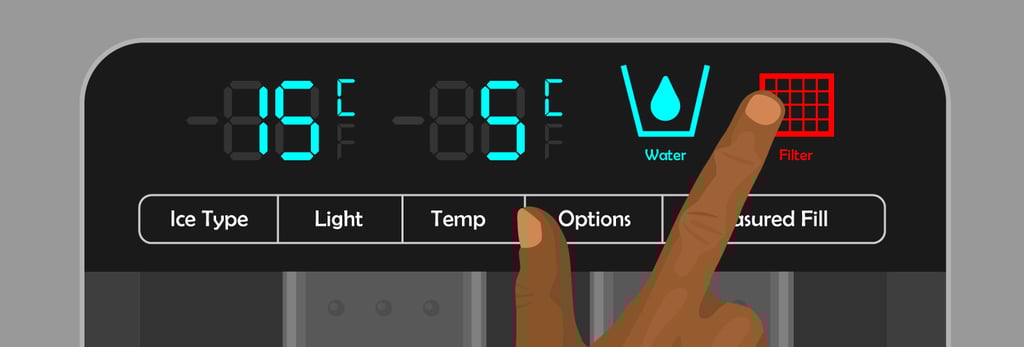
Method 1: Reset Using the Filter Reset Button
Many refrigerators have a dedicated button.
Steps
Locate the Filter Reset or Reset button on the control panel
Press and hold the button for 3 to 5 seconds
Release when the filter light turns off or changes color
✅ Reset complete
Method 2: Reset Using the Ice + Water Buttons
Some models do not have a labeled reset button.
Steps
Press and hold Ice and Water buttons together
Hold for 3–10 seconds
Wait for the indicator light to reset
Method 3: Reset Using the Control Panel or Touchscreen
Newer refrigerators often use a digital display.
Steps
Press Menu or Settings
Select Water Filter
Choose Reset
Confirm the reset
The filter light should now be cleared.
Method 4: Reset Inside the Refrigerator
Some models hide the reset switch inside.
Steps
Open the refrigerator door
Look near the filter housing
Press and hold the reset switch for 5 seconds
What If Your Refrigerator Has No Reset Button?
Some older or basic models do not have a reset feature.
In this case:
There is no indicator to reset
Just replace the filter every 6 months or as recommended
Common Problems and Fixes
Filter Light Still On After Reset
Hold the reset button longer (up to 10 seconds)
Unplug fridge for 1 minute, then retry
Make sure the filter is fully seated
Water Tastes Bad After Replacement
Flush more water through the system
Check that the plastic cap is removed from the filter
How Often Should You Replace the Water Filter?
Most refrigerator water filters should be replaced:
Every 6 months
Or after 200–300 gallons of use
Sooner if water flow slows or tastes odd
Safety Tips
Always use manufacturer-approved filters
Never force the filter into place
Do not reset the light without changing the filter
Resetting a refrigerator water filter is quick and easy, but essential. It ensures your filter reminder works correctly and helps maintain clean, safe drinking water.
Once you know where the reset option is, the whole process takes less than a minute.
Read More:
Refrigerator not turning on: How to fix it
How to fix a refrigerator tripping the breaker