
Whirlpool Washer Error Code DL: Causes, Solutions & Troubleshooting
Is your Whirlpool washer showing the DL error code? Find out what DL means, why it appears, how to troubleshoot the door lock problem, and when to call a technician.
ERROR CODES
9/12/20263 min read

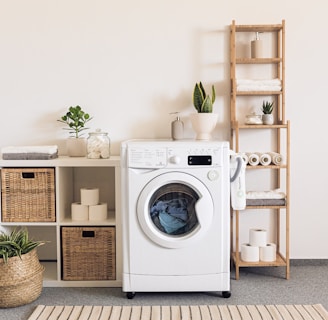
A DL error code on a Whirlpool washer usually indicates a problem with the door or lid locking system. The washer is unable to properly lock the door or confirm that the door has been locked.
Because the washer relies on the lock for safe operation, it may stop the cycle until the problem is corrected.
Why Does the DL Code Appear?
The most common causes include:
Door or lid isn't fully closed
Clothing is caught between the door and gasket
Debris is interfering with the locking mechanism
Door-lock assembly is defective
Wiring connection is loose or damaged
Washer control board has a problem
The exact meaning can vary depending on the Whirlpool washer model, so checking the model-specific manual is important.
Try These Fixes First
1. Open and Close the Door
Start with the simplest solution.
Open the washer door completely and then close it firmly. Make sure you hear or feel the locking mechanism engage when starting the cycle.
Don't slam the door. Excessive force can damage the latch.
2. Check for Clothing in the Door
A small piece of clothing can prevent the door from closing correctly.
Inspect the area around the door and make sure:
No fabric is trapped.
The gasket is sitting correctly.
The door isn't overloaded.
Nothing is blocking the latch.
After removing any obstruction, close the door and try starting the washer again.
3. Clean the Lock Area
Dirt, detergent residue, or other debris can interfere with the locking mechanism.
With the washer powered off, inspect the accessible area around the latch and wipe away any visible buildup.
Avoid forcing anything into the lock.
Reset the Whirlpool Washer
If the door appears to close normally but DL remains on the display, try resetting the washer.
Basic reset:
Stop the washer.
Disconnect it from power.
Wait several minutes.
Restore power.
Close the door or lid firmly.
Select a cycle and try starting the washer.
A reset can clear a temporary control error.
If DL immediately returns, the washer may have a persistent lock-system problem.
Inspect the Door Lock
If basic troubleshooting doesn't work, the door-lock assembly may be defective.
A failed lock can prevent the washer from starting because the control system cannot verify that the door is safely secured.
Signs of a faulty lock can include:
Door closes but won't lock
Lock repeatedly clicks
Washer starts and then stops
DL appears immediately
Door remains locked after a cycle
Washer won't begin a cycle
What About the Wiring?
The lock assembly connects to the washer's electronic control through wiring.
A loose connector, damaged wire, or poor connection can prevent the control board from receiving the correct lock signal.
If the washer has recently been moved or serviced, a connection problem is worth considering.
Disconnect the washer from power before accessing internal wiring. If you're not experienced with appliance electrical components, have a technician perform this inspection.
Could the Control Board Cause DL?
Yes. If the door lock and wiring are functioning correctly, the main control board may be responsible.
However, the control board shouldn't be replaced simply because DL appears. A technician should first test the lock assembly and its wiring.
This helps prevent spending money on a control board when the actual problem is a relatively simple lock or connection issue.
If the Door Is Locked and Won't Open
Don't force the door open.
A Whirlpool washer may keep the door locked when water remains inside or when the control system detects that it isn't safe to unlock it.
Try canceling the cycle and allowing the washer to complete its normal unlocking process. If the door remains locked, consult the model-specific instructions or contact a technician.
When to Get Professional Help
Professional service is recommended when:
DL returns after a reset.
The door will not lock or unlock normally.
The latch is visibly damaged.
The washer repeatedly stops during cycles.
Wiring appears damaged.
The control panel behaves unusually.
The washer cannot start any cycle.
A technician can test the door-lock assembly, wiring, and control board to identify the actual cause.
Final Takeaway
The Whirlpool washer DL error code generally points to a door or lid locking problem. Start by checking that the door is fully closed and that clothing or debris isn't interfering with the latch.
If that doesn't solve the problem, try a power reset. A persistent DL code may indicate a faulty door-lock assembly, wiring connection, or electronic control.
Always check the instructions for your specific Whirlpool washer model because error-code meanings and troubleshooting procedures can differ between models.