
Dryer Control Board Reset: Quick Methods to Restart Your Dryer Electronics
Learn how to reset a dryer control board using simple methods. Step-by-step fixes for unresponsive dryers, error codes, and electronic glitches.
DIY
4/7/20262 min read
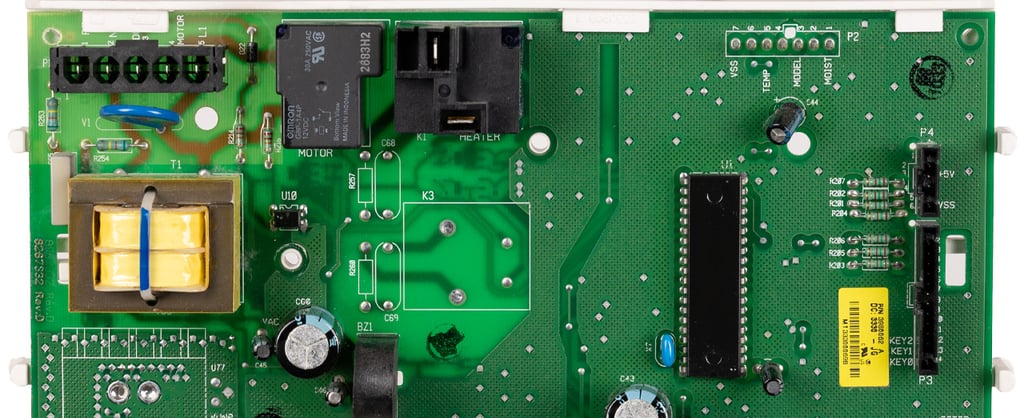
When your dryer starts acting strangely—buttons not responding, random error codes, or refusing to start—the issue often lies in the control board. This is the brain of your dryer, and like any electronic system, it can glitch.
The good news? In many cases, a reset can fix the problem without replacing any parts.
This guide walks you through practical reset methods that actually work.
What Is a Dryer Control Board?
The control board is the electronic unit that:
Controls drying cycles
Manages temperature and timing
Processes button inputs
Displays error codes
If it malfunctions, your dryer may behave unpredictably.
When Should You Reset the Control Board?
Try a reset if you notice:
Dryer won’t start
Buttons are unresponsive
Display is frozen or flashing
Random error codes appear
Cycle stops unexpectedly
Reset Method 1: Power Cycle (Most Effective)
Think of this like restarting a phone.
Steps:
Turn off the dryer
Unplug it from the power outlet
Wait 5–10 minutes
Plug it back in
Turn the dryer on
This clears temporary electronic glitches.
Reset Method 2: Breaker Reset
Sometimes the issue is tied to power supply.
Steps:
Go to your home’s circuit breaker
Locate the dryer breaker
Turn it OFF
Wait 5 minutes
Turn it back ON
Then test your dryer.
Reset Method 3: Button Combination Reset
Some dryers have hidden reset sequences.
Common combinations:
Hold Start + Pause for 5 seconds
Hold End of Cycle + Signal buttons
Press and hold Power button for 10 seconds
Note: This varies by brand, so check your model manual.
Reset Method 4: Factory Reset (Advanced)
This restores default settings.
Steps:
Turn dryer off
Press and hold a specific button combination
Power on while holding buttons
Only use this if basic resets don’t work.
What If Reset Doesn’t Work?
If your dryer still has issues:
Control board may be damaged
Wiring could be loose
Moisture or power surge may have affected electronics
At this point, replacement or professional repair may be needed.
Common Causes of Control Board Issues
Power surges
Moisture exposure
Wear and tear over time
Faulty wiring connections
Tips to Prevent Future Problems
Use a voltage stabilizer or surge protector
Keep dryer area dry
Avoid frequent power interruptions
Don’t slam control panel buttons
Conclusion
Resetting a dryer control board is often the fastest way to fix electronic glitches. Start with a simple power cycle—it solves most problems.
If the issue persists, don’t ignore it. A failing control board can worsen over time and lead to bigger repair costs.
Read More:
How to reset a dryer: Easy steps to fix a dryer that won't start
Dryer clothes still damp? Causes, fixes