
Dryer Thermostat Reset: Step-by-Step Guide to Fix Overheating Issues
Learn how to reset a dryer thermostat safely. Discover which thermostats can be reset, how to do it step by step, and what to do if your dryer still isn’t heating properly.
DIY
4/7/20262 min read
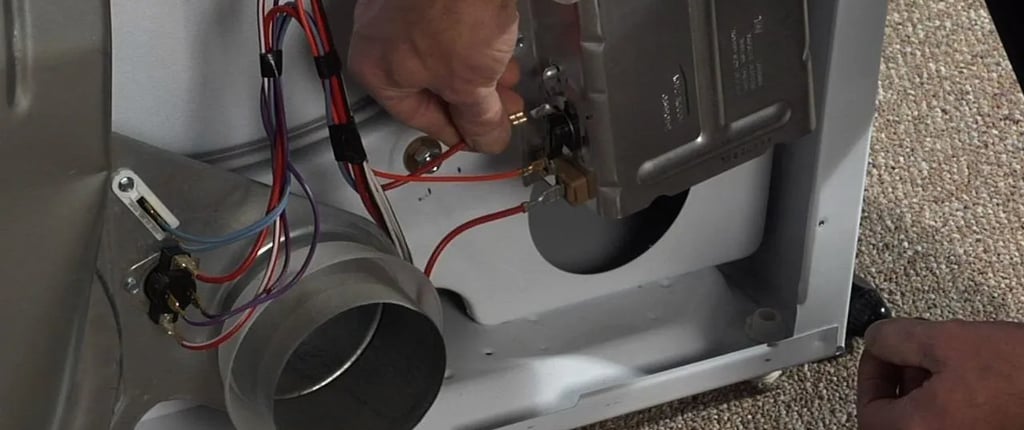
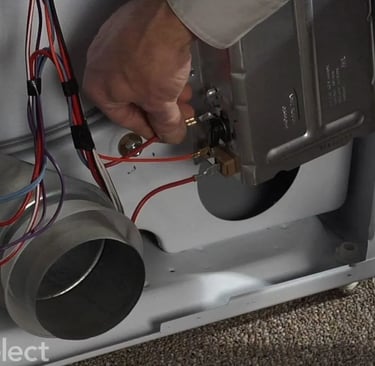
When your dryer stops heating or shuts off unexpectedly, the thermostat is often part of the problem. Many people assume it needs replacement, but in some cases, a simple reset can bring your dryer back to life.
The key is knowing which thermostat can be reset and how to do it correctly. This guide walks you through everything in a clear, practical way.
What Is a Dryer Thermostat?
A dryer thermostat controls temperature inside the appliance. There are usually two main types:
Cycling thermostat – regulates normal heating cycles
High-limit thermostat – shuts off the dryer if it overheats
Some high-limit thermostats include a manual reset button, while others reset automatically or require replacement.
Can You Reset a Dryer Thermostat?
It depends on the type:
Manual reset thermostat → YES, can be reset
Automatic thermostat → resets itself when cooled
Faulty thermostat → must be replaced
So before anything, you need to identify which one your dryer uses.
Signs Your Thermostat Needs Resetting
Dryer overheats
Dryer shuts off mid-cycle
No heat or inconsistent heat
Clothes come out too hot or still damp
Tools You’ll Need
Screwdriver
Flashlight
Multimeter (optional but helpful)
How to Reset a Dryer Thermostat (Step-by-Step)
Step 1: Unplug the Dryer
Safety first. Always disconnect power before opening anything.
Step 2: Access the Thermostat
Remove the back panel (or front panel depending on model)
Locate the thermostat near the heating element or blower housing
Step 3: Look for the Reset Button
Check for a small red button on the thermostat
This is usually found on high-limit thermostats
Step 4: Press the Reset Button
Press firmly until you feel a click
This resets the thermostat
Step 5: Reassemble the Dryer
Put all panels back
Plug the dryer in
Step 6: Test the Dryer
Run a short cycle and check if:
Heat is restored
Dryer runs normally
What If There’s No Reset Button?
If your thermostat doesn’t have a reset button:
It likely resets automatically after cooling
Or it may be faulty and need replacement
Use a multimeter:
No continuity = thermostat is bad
Replace it
Why Dryer Thermostats Trip
Resetting without fixing the cause means the issue will return. Common reasons include:
Blocked lint filter
Clogged vent system
Poor airflow
Overloaded dryer
Faulty heating element
How to Prevent Future Issues
Clean lint filter after every load
Inspect vent hose regularly
Keep dryer area ventilated
Avoid stuffing too many clothes
Schedule occasional deep cleaning
Conclusion
Resetting a dryer thermostat is simple—but only if your model supports it. If your dryer has a manual reset button, you can fix the issue in minutes. If not, testing and replacement may be necessary.
The real solution is always the same: fix the airflow problem first, or the thermostat will keep tripping again.
Read More:
How to reset a dryer: Easy steps to fix a dryer that won't start
Dryer clothes still damp? Causes, fixes