
Samsung Washer Error Code DC: Meaning, Causes, and How to Fix It
This article explains Samsung washer error code DC, what it means, why it appears, and how you can fix it at home before calling for service.
1/19/20262 min read
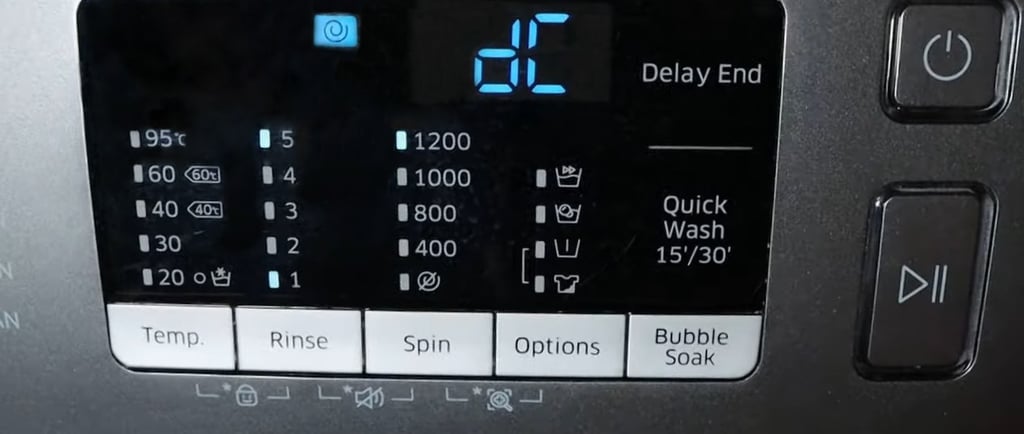
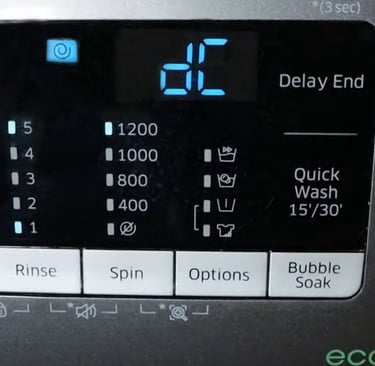
What Does Samsung Washer Error Code DC Mean?
Samsung washer error code DC indicates a door or lid problem.
The washer has detected that the door is not closing, locking, or staying locked properly during the cycle.
This safety feature prevents the washer from spinning when the door is insecure on machines made by Samsung.
Common Causes of Samsung Washer Error Code DC
1. Door Not Fully Closed
Laundry caught between the door and gasket can prevent proper closure.
2. Door Lock Not Engaging
The washer may not sense that the door is locked, even if it appears closed.
3. Overloaded Washer
Excess laundry can push against the door, causing it to pop open slightly during spinning.
4. Worn or Faulty Door Lock Assembly
Over time, the lock mechanism or sensor can fail.
5. Loose Wiring to the Door Lock
Vibration may loosen electrical connections to the lock switch.
How to Fix Samsung Washer Error Code DC (Step-by-Step)
Step 1: Check and Re-close the Door
Open the door completely
Remove any clothing stuck near the gasket
Close the door firmly until you hear a click
Step 2: Reduce the Load
Remove a few items if the washer is overloaded
Distribute clothes evenly inside the drum
Step 3: Inspect the Door Gasket
Look for twisted rubber or trapped fabric
Clean debris that may prevent sealing
Step 4: Reset the Washer
Unplug the washer for 5 minutes
Plug it back in and restart the cycle
If the DC Error Keeps Returning
Possible mechanical issues include:
Failed door lock switch
Broken latch
Damaged wiring harness
These issues usually require door lock replacement, which is a common and relatively affordable repair.
Can You Use the Washer With Error Code DC?
No.
The washer will not enter high-speed spin until the door lock issue is resolved. Continuing to retry without fixing the cause may worsen the problem.
When to Call a Technician
Call for service if:
The door will not lock at all
DC error appears on every cycle
The washer stops immediately after starting
You hear clicking sounds but the door never locks
How to Prevent Samsung Washer DC Error in the Future
Do not overload the washer
Keep the door gasket clean
Close the door gently, not forcefully
Avoid slamming the washer door
Quick Summary
Error Code: DC
Meaning: Door or lid not locking properly
Most common cause: Overloading or blocked door
DIY fix possible: Yes
Professional repair: Needed if door lock fails
Read More: