
Samsung Oven Error Code C21: Causes, Fixes, and Troubleshooting Guide
Samsung oven showing the C21 error code? Learn what it means, why it happens, and simple troubleshooting steps to fix the issue.
ERROR CODES
3/16/20262 min read
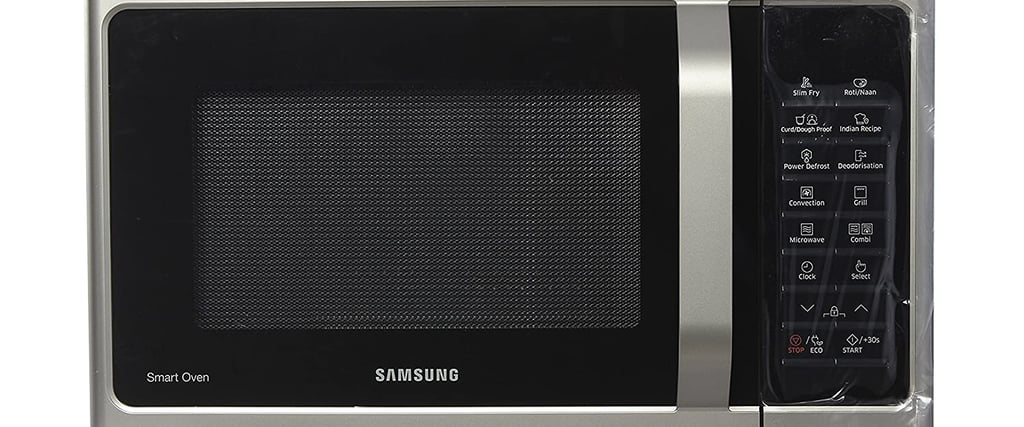
The C21 error code on a Samsung oven usually indicates a temperature sensor problem. This happens when the oven’s internal sensor detects abnormal temperature readings or when the sensor itself becomes faulty.
The oven displays this code to prevent overheating or unsafe operation.
What Is the C21 Error Code?
Modern Samsung ovens use a temperature sensor (thermistor) to monitor the heat inside the oven. This sensor constantly communicates with the control board.
When the system detects:
Incorrect temperature readings
A disconnected sensor
A damaged sensor circuit
the oven triggers the C21 error code.
This safety feature helps prevent damage to the appliance.
Signs You Might Notice
When the C21 error appears, you may experience:
The oven stopping during cooking
Inaccurate oven temperatures
The oven refusing to start
Continuous beeping with the error displayed
Most Common Causes
1. Faulty Temperature Sensor
The most frequent cause is a malfunctioning oven temperature sensor. Over time, heat exposure can degrade the sensor.
2. Loose or Damaged Wiring
If the wiring between the sensor and control board becomes loose or damaged, the oven may receive incorrect temperature data.
3. Control Board Issues
In rare cases, the electronic control board may misinterpret signals from the temperature sensor.
4. Overheating
If the oven overheats due to heavy usage or blocked ventilation, the sensor may trigger the error.
Step-by-Step Troubleshooting
Step 1: Reset the Oven
Sometimes the error appears due to a temporary electronic glitch.
Turn the oven off.
Unplug the oven or switch off the circuit breaker.
Wait 5–10 minutes.
Restore power and restart the oven.
If the code disappears, the issue was likely temporary.
Step 2: Inspect the Temperature Sensor
The sensor is usually located inside the oven cavity on the back wall.
Check for:
Visible damage
Loose mounting
Burn marks
If the sensor looks damaged, it likely needs replacement.
Step 3: Check the Wiring
If you are comfortable inspecting appliances:
Turn off power to the oven
Remove the back panel
Check the wiring connected to the temperature sensor
Loose or damaged wires can trigger the C21 error.
Step 4: Replace the Temperature Sensor
If the sensor is defective, replacing it usually solves the issue.
Temperature sensors are relatively inexpensive and are available through appliance parts suppliers.
When to Call a Professional
You should contact a technician if:
The error returns after resetting
The sensor and wiring appear normal
The oven still won’t heat correctly
A professional can test the control board and electrical components.
Prevention Tips
While not all issues can be prevented, these habits help maintain your oven:
Avoid blocking oven vents
Clean the oven regularly
Do not run extremely long cooking cycles repeatedly
Ensure proper ventilation around the appliance
Final Thoughts
The Samsung oven C21 error code typically points to a temperature sensor issue or abnormal temperature readings. In many cases, resetting the oven or replacing the sensor resolves the problem.
If troubleshooting doesn’t work, a qualified technician can diagnose the control board or wiring.
Understanding these error codes helps you quickly identify the problem and restore your oven to normal operation.
Read More: