
Samsung Oven Error Code SE: Meaning, Causes, and Easy Fixes
Seeing the Samsung oven SE error code? Learn what it means, why it happens, and simple step-by-step solutions to fix it quickly.
ERROR CODES
3/16/20263 min read
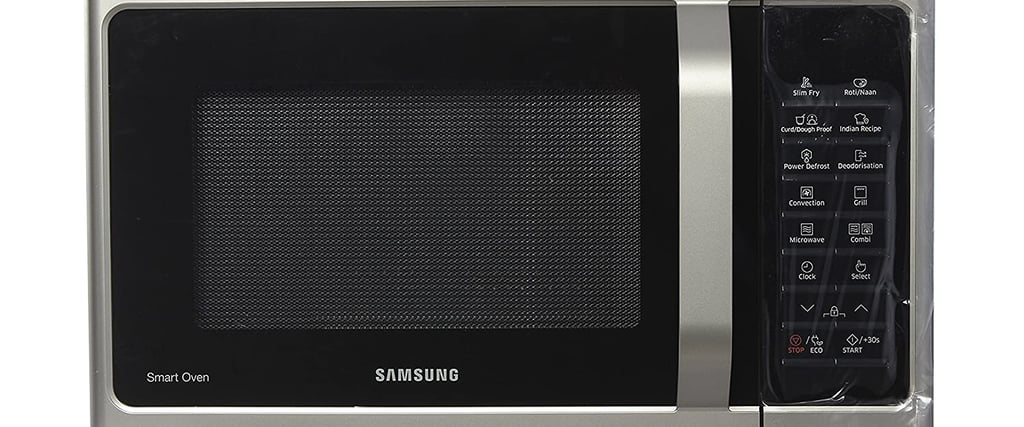
If your Samsung oven suddenly shows the SE error code, it can be frustrating, especially when you’re in the middle of cooking. Many Samsung oven owners encounter this issue at some point, but the good news is that it’s usually fixable.
The SE error code typically indicates a keypad or control panel problem. In most cases, the oven thinks a button is being pressed continuously, even when it isn’t.
In this guide, you’ll learn what the Samsung oven SE error code means, why it happens, and how you can fix it safely at home.
What Does the Samsung Oven SE Error Code Mean?
The SE error code on a Samsung oven usually means there is a stuck key or keypad malfunction on the control panel.
The oven’s control board constantly monitors the keypad. If it detects a button being pressed for too long, it triggers the SE error to prevent malfunction or overheating.
This issue is most commonly related to:
A stuck or faulty keypad button
Moisture inside the control panel
A damaged touchpad membrane
A defective control board
Common Causes of the Samsung SE Error Code
Understanding the cause can help you fix the problem faster.
1. Stuck or Pressed Key
Sometimes food particles, grease, or debris can cause a button to stick. The oven detects the constant signal and displays the SE error.
2. Moisture in the Control Panel
Steam from cooking or cleaning can seep into the control panel and interfere with the keypad circuitry.
3. Faulty Touchpad
Over time, the membrane inside the touchpad can wear out, causing false signals.
4. Control Board Issues
In some cases, the electronic control board may malfunction and misread keypad inputs.
How to Fix Samsung Oven Error Code SE
Before calling a technician, try these simple troubleshooting steps.
1. Reset the Oven
A quick reset can sometimes clear temporary glitches.
Steps:
Turn off the oven.
Unplug it from the power outlet.
Wait 5 minutes.
Plug it back in and restart the oven.
If the error disappears, the issue was likely a temporary system glitch.
2. Clean the Control Panel
Grease and dust can cause buttons to stick.
Steps:
Turn off the oven.
Use a soft cloth with mild cleaner.
Gently wipe the control panel.
Dry it completely before turning the oven back on.
Avoid spraying liquid directly on the panel.
3. Check for Stuck Buttons
Press each keypad button gently to ensure none are stuck.
If a button feels jammed or unresponsive, the keypad may need replacement.
4. Allow the Oven to Dry
If moisture is the cause:
Turn the oven off
Leave it unplugged for several hours
Allow the control panel to fully dry
Many SE errors disappear once moisture evaporates.
5. Replace the Touchpad or Control Panel
If the error keeps returning, the touchpad or control board may need replacement.
In many Samsung models, the touchpad is integrated with the control panel, so the entire assembly must be replaced.
If you're not comfortable doing this, it's best to contact a qualified appliance technician.
How to Prevent the SE Error in Samsung Ovens
While not all issues are preventable, a few habits can reduce the chances of seeing this error.
Avoid spraying cleaners directly on the control panel
Wipe away grease and spills quickly
Keep steam away from the control panel during cooking
Use a soft cloth instead of abrasive cleaners
These simple steps help protect the sensitive electronics inside the oven.
Conclusion
The Samsung oven SE error code usually indicates a keypad or control panel problem. In many cases, the issue can be fixed by resetting the oven, cleaning the control panel, or allowing moisture to dry.
However, if the error persists, the touchpad or control board may need replacement.
By understanding the cause and following simple troubleshooting steps, you can often resolve the SE error and get your oven working again quickly.
Read More: