
Samsung Washer Error Code 5C | Drain Error Causes & Fix Guide
Seeing Samsung washer error code 5C? Learn what it means, why it happens, step-by-step fixes, and how to prevent future drain problems.
1/22/20262 min read
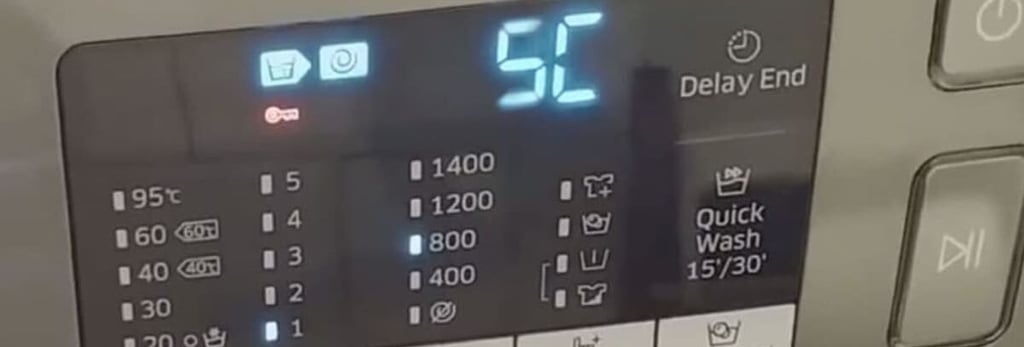
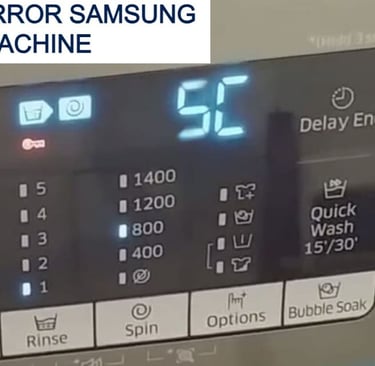
If your Samsung washer is showing error code 5C, it means the machine is not draining water properly. This is one of the most common Samsung washer errors and usually points to a blockage or drainage issue rather than a serious internal fault.
The good news is that most 5C errors can be fixed at home in under 30 minutes.
What Does Samsung Washer Error Code 5C Mean?
Error code 5C = Drain Error
Your washer tried to drain water but failed within the allowed time. As a safety measure, the machine stops the cycle to prevent flooding or motor damage.
On some older models, this error may appear as SC, which means the same thing.
Common Causes of Error Code 5C
1. Clogged Drain Filter (Most Common)
Coins, lint, hair, or small clothing items block the drain filter.
2. Blocked or Kinked Drain Hose
The hose may be bent, crushed, or clogged with debris.
3. Drain Pump Obstruction
Foreign objects may be stuck inside the drain pump.
4. Slow or Poor Home Drainage
If your household drain is partially blocked, water cannot exit fast enough.
5. Excessive Detergent Use
Too much detergent creates foam that interferes with proper draining.
How to Fix Samsung Washer Error Code 5C (Step-by-Step)
Step 1: Power Off the Washer
Unplug the washer from the power outlet for safety.
Step 2: Clean the Drain Filter
Open the small access panel at the front bottom of the washer
Place a towel and shallow container under the filter
Slowly turn the filter counterclockwise
Drain all water
Remove debris and rinse the filter thoroughly
Reinsert and tighten the filter securely
This fixes the issue in most cases.
Step 3: Check the Drain Hose
Ensure the hose is not kinked or bent
Remove and flush it with water if clogged
Confirm it is installed at the correct height
Step 4: Inspect the Drain Pump Area
With the filter removed, check inside for:
Coins
Buttons
Hair pins
Fabric pieces
Remove anything blocking the pump impeller.
Step 5: Run a Test Cycle
Plug the washer back in and run a Rinse + Spin cycle to confirm the error is cleared.
When to Call a Technician
Contact service support if:
The washer still shows 5C after cleaning
The drain pump makes loud grinding noises
Water does not drain at all
The washer stops mid-cycle repeatedly
This may indicate a failed drain pump or control board issue.
How to Prevent Error Code 5C in the Future
Clean the drain filter once every 4–6 weeks
Check pockets before washing clothes
Use the correct amount of detergent
Avoid overloading the washer
Ensure proper drain hose installation
Samsung washer error code 5C is a drain-related problem that is usually easy to fix at home. In most cases, cleaning the drain filter and checking the hose resolves the issue quickly.
Regular maintenance and proper detergent use can prevent this error from returning and help your washer run smoothly for years.
Read More: